Hey everyone, it’s Jake here—your go-to guy for all things iPhone X batteries, and let’s cut to the chase: if you’re reading this, your iPhone X battery is swollen, and it’s low-key stressing you out. I’ve been in the battery game for years, and I’ve seen this happen so many times—usually from old age, bad charging habits, or even a dud battery that snuck through a manufacturer’s cracks. Swollen batteries aren’t just an annoyance, either; they can actually warp your screen, push buttons out of place, or worst-case, become a safety hazard if you ignore ’em too long. Today, I’m walking you through exactly how to handle a swollen iPhone X battery—no jargon, just real tips I’ve tested with customers and our team here at the supplier. iPhone X Battery
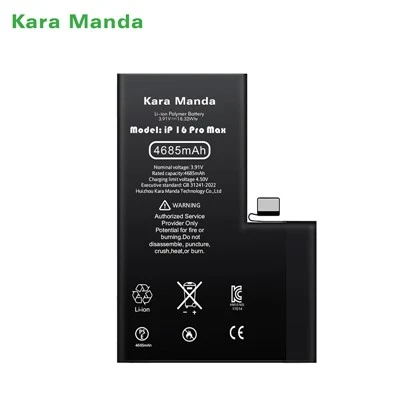
First off, let’s get one thing straight: don’t try to pop it or pry it open yourself. That swollen battery is full of lithium-ion, and messing with it can lead to leaks, fires, or even injury. I’ve had customers come in with cuts from trying to yank their battery out, and it’s never pretty. So step one: stop using your iPhone X right now. If the screen’s already bulging, holding it could put pressure on that swollen cell, which is the last thing you want.
Next, let’s figure out why your battery swelled in the first place. It’s not random, I promise. For most iPhone Xs, this happens because the lithium inside breaks down over time. The iPhone X is what, like 8 years old now? Yeah, way past its original battery lifespan (which is usually around 2-3 years before capacity drops, and swelling often follows). But other times, it’s your charging habits. If you leave your phone plugged in overnight every single night, that trickle charge keeps going even after it’s at 100%, which overworks the battery cells. Or if you’re using cheap, off-brand chargers—those don’t regulate voltage right, so they can damage the battery over time. Oh, and if you’ve dropped your phone a bunch and the battery got jostled inside, that can cause internal damage too, leading to swelling.
Now, what’s the fix? There are two main paths here, depending on if you want to do a quick DIY (but safe) replacement or hand it off to a pro. Let’s start with the DIY route, but only if you’re comfortable with small tech work. The iPhone X isn’t as tricky as newer models, but it’s not a cakewalk. First, you’ll need the right tools: a Pentalobe screwdriver (the tiny one at the bottom of your phone), a metal spudger, a plastic pry tool, and most importantly, a genuine or high-quality replacement iPhone X battery. I’ve seen guys use cheap Amazon batteries that swell worse than the original, so that’s where we come in—our batteries are tested, certified, and match the exact specs Apple uses, so you don’t have to worry about that.
Wait, let’s break the DIY steps down simply. First, turn off your phone and disconnect any cables. Use the Pentalobe screwdriver to remove the two screws on either side of the Lightning port—easy peasy. Then, heat the back glass gently with a heat gun or even a hair dryer on low for 30 seconds to loosen the adhesive. Don’t blast it too hot, or you’ll crack the glass. Use the plastic pry tool to lift the back cover from the bottom corner, working your way around the edges—metal tools can scratch the inside, so stick to plastic. Once the cover’s off, you’ll see the battery connector bracket; remove the two screws holding it down, then gently disconnect the battery cable. Now, here’s the part people mess up: don’t just yank the old battery out. There are adhesive strips under it—pull them slowly, one at a time, to avoid tearing. If the strips break, use a tiny bit of isopropyl alcohol (90%+ strength) on a cloth to soften the adhesive, but don’t get any in the logic board.
Once the old swollen battery is out, clean the battery compartment with a dry microfiber cloth to get rid of any leftover adhesive. Then, take your new iPhone X battery, align the connector, stick it in place, and secure the bracket. Put the back cover back on, screw in the Pentalobe screws, and you’re done. But wait—if that sounds like too much hassle, or you’re worried about messing up the screen, just send it to a repair shop. Most reputable shops can swap the battery in 15 minutes, and it’ll cost you less than buying a new phone.
But here’s the thing: a lot of people think a swollen battery means they have to replace their whole iPhone X. That’s not true at all! Swelling is fixable as long as you act fast, and replacing the battery is way cheaper than a new phone. I’ve had customers come in last week with a swollen iPhone X that had a warped screen; we swapped the battery, and the screen popped back into place, no extra repairs needed. That’s why I always tell folks: don’t panic, just get the battery replaced.
Now, let’s talk about preventing this from happening again. Our customers who follow these rules barely ever have swollen batteries. First, don’t overcharge your phone—unplug it once it hits 100%, or use the Optimized Battery Charging setting on your iPhone (it learns your charging habits and pauses at 80% until right before you need to use it). Second, use MFi-certified chargers—those are the ones Apple approves, so they won’t damage your battery. Third, avoid exposing your phone to extreme heat—leaving it in the car on a hot day is a big no, that cooks the battery cells.
Wait, I should mention one more thing: if you notice small signs before it swells—like your battery dying way faster than usual, the phone feeling hot even when you’re not using it, or the screen not sitting flush with the frame—don’t ignore that. That’s your battery telling you it’s on its way to swelling, so get it replaced early, and you’ll avoid the whole mess.
Now, since I’m the iPhone X battery supplier, I have to say: if you’re in the market for a replacement battery, don’t cut corners. A cheap battery might save you $10 now, but it’s way more likely to swell, leak, or cause other damage. Our batteries are tested for overcharge, short circuit, and capacity—each one has to pass a 12-hour safety test before it leaves our warehouse. We’ve been supplying repair shops and DIYers alike for years, so we know exactly what an iPhone X needs.
If you’re a repair shop looking to stock up, or a DIYer who wants a reliable battery, reach out to our team to chat about pricing, bulk discounts, or any questions you have. We’re here to help, no salesy nonsense—just real advice and a product you can trust.
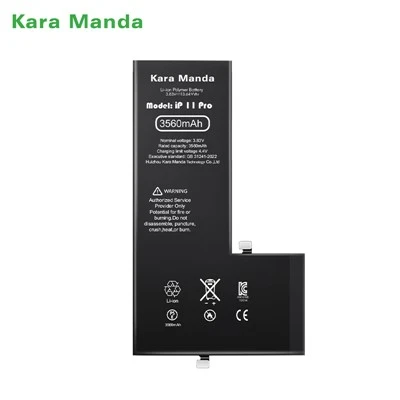
At the end of the day, a swollen iPhone X battery is a fixable problem, not a death sentence for your phone. The worst thing you can do is wait it out—don’t risk a damaged screen or safety issue just to skip a replacement. Whether you do the swap yourself or hand it off to a pro, getting a new battery is the way to go. And if you need a battery that won’t let you down, hit us up to talk shop. Let’s get your iPhone back to working like it should, no stress, no hassle.
iPhone Battery References:
- U.S. Consumer Product Safety Commission. (2022). Lithium-ion Battery Safety Tips for Consumers.
- Apple Inc. (2020). iPhone X Battery Service Guide.
- Battery University. (2021). Understanding Lithium-ion Battery Swelling and Failure.
- International Electrotechnical Commission. (2021). Safety Requirements for Lithium-ion Batteries for Consumer Electronics.
Huizhou Kara Manda Technology Co., Ltd.
Huizhou Kara Manda Technology Co., Ltd. is one of the most professional iphone x battery manufacturers and suppliers in China. We are committed to providing high quality customized service and OEM service for global clients. If you’re going to wholesale bulk CE approved iphone x battery made in China, welcome to get quotation from our factory. 1 year warranty is available.
Address: No.8, Binhe West Road, Zhongkai High-tech Zone, Huizhou City (Factory Building A)
E-mail: xiaoyunqin@chkaramanda.com
WebSite: https://www.karamandatech.com/
